Showing posts with label LAPTOPS. Show all posts

Apr 13, 2012

Top 10 Best Laptops for College Students in 2012

Top 10 Best Laptops for College Students in 2012

Attractive young female using a laptop

While studying in college may be a challenging and horrific experience, getting by with a sturdy and powerful laptop can make things sweeter. College students are now seeing laptops as necessities in conducting research, doing assignments, and even watching videos to relieve themselves from the stress of college life. However, because there are many choices of laptop brands and styles available, choosing the best one will not be as easy as it seems. If you are one of these students, and you need a guide for the laptop of choice this 2012,

10. ASUS Zenbook UX31E-DH72

10

Pros: Solid State Disk, fast processor, excellent design, convincing audio, super thin and super lightCons: Less memory size

Display: 13.3-inch HD Display                                                                                                       Storage: 256GB Solid State Drive Processor: 2nd Generation Intel Core i7-2677M Processor with Turbo Boost         Memory: 4GB DDR3 1333MHz           Graphics: Intel UMA Wireless: Wi-Fi Wireless Networking 802.11b/g/n Audio: Stereo Speakers powered by Bang & Olufsen ICEPower


9. Apple MacBook Air MC968LL/A (Newest Version)

9

Pros: Brand name, Solid State Hard Disk, multi-touch trackpad Cons: Too expensive, memory too cramped, heavy despite of small size

Display: 11.6-inch LED-backlit Glossy Widescreen Display Storage: 64GB Solid State Hard Disk Processor: Intel Core i5 1.6GHz Dual-core Processor Memory: 2GB DDR3 1333MHz Graphics: Intel HD 3000 Graphics Processor 256MB DDR3 SDRAM Wireless: Wi-Fi Wireless Networking (802.11b/g/n) Audio: Built-in stereo Speakers with Omnidirectional Microphone, Headphone Port

8. Acer S3-951-6464

8

Pros: 0.51 inches thin, only weighs 3lbs Cons: $899.99 Price Tag

Display: 13.3 inches with Active Matrix TFT Color LCD Storage: 320GB 5400rpm Serial ATA Processor: Intel Core i5-2467M 1.6GHz Dual-core Memory: 4GB DDR3 1333MHz Graphics: Intel HD Graphics 3000 with DDR3 SDRAM Battery and Power: 3260mAh 65W 3-cell Lithium Polymer Battery Wireless: Wireless LAN IEEE (802.11b/g/n) Audio: Built-in Stereo Speakers – Dolby Home Theater v4 Audio Enhancement

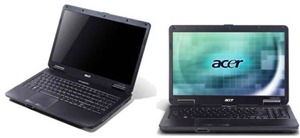
7. Acer Aspire 5334
7

Pros: Cheap, huge screen, quality graphics, and convenient disk size Cons: Intel Celeron processor T3100, 2GB DDR3 SDRAM, 3 hours battery life

Display: 15.6-inch HD high-brightness (200-nit) Acer CineCrystal™ TFT LCD Storage: 640GB 5400rpm Serial ATA Processor: Intel Celeron Processor T3100                             Memory: 2GB DDR3 1333MHz Graphics: Mobile Intel GL40 Express Chipset with Integrated 3D Graphics, Intel Graphics Media Accelerator 4500M with up to 1759 MB of Intel Dynamic Video Memory Technology 5.0 Battery and Power: 48.8 W 4400 mAh 6-cell Li-ion Battery, 65 W AC Adapter Wireless: Acer InviLink Nplify 802.11 b/g/n Wi-Fi Certified Audio: One built-in Mono Speaker, Built-in Microphone, MS-Sound Compatible

6. HP Pavilion DV6-6116NR

6

Pros: Huge 15.6-inch screen, CoolSense technology that diverts heat from going to the lap, Dolby Home Theater and Altec Lansing Speakers Cons: Practically none

Display: 15.6-inch HD BrightView LED Display                                                                       Storage: 640GB 5400rpm Serial ATA Processor: 2nd Generation Intel Core i5-2430M Processor 2.40GHz with Turbo Boost       Memory: 4GB DDR3 1333MHz Graphics: Intel HD Graphics 3000 with 1696MB Total Graphics Memory Wireless: 802.11b/g/n WLAN and Bluetooth Audio: Dolby Home Theater and Altec Lansing Speakers

5. HP Pavilion DV6-6150US

5

Pros: Beats by Dr. Dre Audio, huge 750GB disk space, massive 6GB of RAM, 2nd Generation Core i5 processor, long 6.5 hours battery life Cons: 5.78 lbs heavy

Display: 15.6-inch Wide Screen Storage: 750GB 5400rpm Serial ATA Processor: Intel Core i5-2410M 2.30GHz Processor Memory: 6GB DDR3 1333MHz Graphics: Intel HD Graphics 3000 Battery and Power: 6.5 Hours 55Wh 6-Cell Lithium Ion Battery, 65W AC Adapter Wireless: Wi-Fi Wireless Networking (802.11b/g/n) Audio: Beats Audio with Integrated Digital Microphone and Internal Speakers

4. Apple MacBook Pro MD318LL/A (Newest Version)

4

Pros: Brand Name, huge 15.4-inch screen size, speedy quad-core processor, 7-hour battery life, lightweight Cons: Expensive

Display: 15.4-inch LED-backlit Glossy Widescreen Display                                                Storage: 500GB 5400rpm Serial ATA Processor: Intel Core i7 Quad-core 2.2GHz                          Memory: 4GB DDR3 1333MHz Graphics: Graphic Switching Between AMD Radeon HD 6750M and Intel HD Graphics 3000 Wireless: Wi-Fi Wireless Networking 802.11b/g/n Audio: Stereo Speakers with Subwoofers

3. Toshiba Protégé R835-P94

3

Pros: Dual-core Intel Core i5 processor, amazing 9-hour battery life Cons: Pricey at $800

Display: 13.3-inch Wide Screen HD TruBrite LED Backlit Display Storage: 640GB 5400rpm Serial ATA        Processor: Intel Core i5-2450M Dual-core Processor Memory: 4GB DDR3 1333MHz Graphics: Mobile Intel HD Graphics with 64MB-1696MB Shared Allocated Memory Battery and Power: 9 Hours 66Wh 6-Cell Lithium Ion Battery, 65W (19V 3.42A) Auto-sensing, 100-240V / 50-60Hz Input Wireless: Wi-Fi Wireless networking (802.11b/g/n) Audio: Headphone Jack (Stereo), Microphone Jack (Mono), Standard Stereo Speakers

2. Toshiba Satellite L755-S5271

2

Pros: Huge 15.6-inch LED screen, 5-hour battery life, reliable 640GB disk space, all in a great $600 value Cons: Weighs 5.7 lbs, only comes with a Core i3 processor

Display: 15.6-inch Wide Screen Storage: 640GB 5400rpm Serial ATA Processor: Intel Core i3-2310M Processor Memory: 4GB DDR3 1333MHz Graphics: Mobile Intel 64MB – 1696MB HD Graphics Battery and Power: 5.7 Hours 48Wh 6-Cell Lithium Ion Battery, 65W Auto-sensing, 100-240V / 50-60Hz Input Wireless: Wi-Fi Wireless Networking (802.11b/g/n) Audio: Headphone Jack (Stereo), Microphone Jack (Mono), Standard Stereo Speakers

1. Apple MacBook Pro MD313LL/A

1

Pros: Big 500GB for a Mac, 7 hours battery life, speedy 2.4GHz Dual-core Core i5 Processor, Brand Name, multi-touch trackpad Cons: Expensive

Display: 13.3-inch LED-backlit Glossy Widescreen Display Storage: 500GB 5400rpm Serial ATA Processor: Intel Core i5 2.4GHz Dual-core Processor Memory: 4GB DDR3 1333MHz Graphics: Intel HD 3000 Graphics Processor 384MB DDR3 SDRAM Wireless: Wi-Fi Wireless Networking (802.11b/g/n) Audio: Stereo Speakers with Subwoofers


Mar 17, 2012

Top 10 Must-Have iPhone Applications For Bloggers|2012

Top 10 Must-Have iPhone Applications For Bloggers|2012

0

As a general rule of thumb, bloggers are usually the kind of people who are tech-savvy, interested in latest gadgets, experimenting with the technologies they have etc. And for many such bloggers, the Smartphone has become the go-to device when it comes toblogging. Smartphones have really revolutionized the way we socialize and communicate with each other. The number of smartphone users has been going up constantly in the last few years. Which naturally means that some prominent giants have emerged (as in any other industry).

Now as you all know, the Apple’s iPhone really introduced the idea of a (really) smart Smartphone. With time, competitors have emerged. But Apple still remain among the top brands when it comes to mobile OS (Operating System). What’s that got to do with bloggers? Well, like I said, bloggers are tech-savvy people. Which means a lot of them own gadgets, and Smartphones. And I am sure many among them posses iPhones.

Now coming to the point, we earlier did a post about the top 5 applications for bloggers. It is only fair that there should be a similar post for those users who have iPhones instead.

1. WordPress for iPhone

1

Word Press is the most widely used CMS used by bloggers today. With the official Word Press App for iPhone or iPod touch, yu can take your blog in your pocket wherever you want! This app lets you create, edit, draft or publish posts, add images, links etc. Hence, you no longer need to fire up your PC every time you need to post or comment.


2. Omnifocus

2

Omni focus is your real world task manager. It’s basically an enhanced organizer, that lets you organize you tasks, projects, lists etc. For example, if you want to buy some hardware, it will get your GPS location and list all nearby hardware stores. It can also create a shopping list for you.


3. Byline

3

With Byline, you can read your favourite websites, blogs, and RSS feeds. Simply link them up with your Google Reader account. The great thing about Byline is, it downloads updates when connectivity is available. It then caches that information so that you can read it later at your leisure, whether during train / aeroplane journeys, or simply when there are no Wi-Fi around.


4. TypePad

4

This app offers similar features as you get on your computer to write a blog on TypePad, another very popular CMS among bloggers. You can create, edit and publish posts, keep them as drafts, comment on your posts, and notify your friends of new posts that you have written.


5. Evernote

5

Evernote is a great app for taking and saving notes, pics, comments, etc. With it, you can jot down any idea that comes to your mind, snap a picture of what you find amusing, etc. You can then organize them into notes, and / or synchronize them with your other devices and on the web. It’s a multi-platform cloud based app, so you can sync up with any other devices running Evernote like Android devices, Windows, etc.


6. PayPal

6

If you told me that you are a blogger and you don’t use PayPal, maybe I won’t believe you! PayPal is essential for bloggers (at least bloggers living areas where it is available). Most of the money most bloggers make, is paid through PayPal. So having this app on your iPhone can be real handy when it comes to making transactions and checking balance.


7. Instapaper

7

This is another great app for reading stuff offline. It lets you save and manage web pages for later reading. It is also optimized for readability on touch screen. Bloggers frequently need to surf the web, and not everyone has the time to go through all the stuff at a time.


8. Analytics App

8

Every blogger needs to check up on his blog’s analytics. And most of the bloggers use Google Analytics for monitoring their progress. After all, Google Analytics is the leading website statistics and analytics provider. With this app, you can check your Google Analytics stats right from your phone! It provides complete analytics information such as unique visitors, page-views, clicks made etc.


9. Jott

 9

This is a great app! It’s basically a voice-to-text transcription software that writes down whatever you say speak into the recording interface! You can do whatever you want with that text; forward it in an email, create a to-do note etc. This app is a big time, and effort saver!


10. BlogPress

10

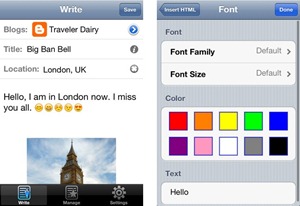
BlogPress is a fast, and efficient way of dealing with multiple blogs at once. You can manage posts on more than one blogging platforms like WordPress, Blogger, TypePad etc. It integrates other social media streams as well like Facebook, Twitter, Flickr etc. So you can stay connected with your entire online community. You also have the option of posting one message or post on multiple platforms.

Mar 9, 2012

10 Must-Have Features Apple iPad 3:

10 Must-Have Features Apple iPad 3:

Most tech lovers are busy waiting for the release of the Apple iPad 3 because of all of the amazing features that have been promised. However, out of all of the features that we have been told that we can expect which ones are the absolute best. This list of the 10 New Features in Apple iPad 3 will show you why tech lovers are really waiting for the official release date to arrive so impatiently.

ipad-3

1. A6 Processor

This is the first iPad by Apple to contain the A6 Processor. This processor is said to make the iPad 3 as powerful as a desktop which many tech lovers are finding super cool. Not to mention the fact all of Apple’s competitors are basically knocked out of the loop by this as well.


2. Fingerprint Proof

You can say goodbye to those days of having to constantly clean your screen because of numerous fingerprints dirtying it up. This iPad is going to be fingerprint proof. Obviously, it is going to be a touch screen so making this feature a reality is something that is extremely hard to do but with the help of oleophobic materials it is possible.


3. Lighter

The iPad 3 is going to be lighter than the prior versions. This is possible because the battery is going to be lighter even though you can expect to pay more for it. Also, the size of the iPad 3 is going to be smaller than you have seen before. Lastly, because it is thinner than previous versions the weight will be cut down as well.


4. Cloud Computing

You can expect the same Cloud Computing software to be included in the iPad 3 that is in the iPhone 5 which is a plus for iPad lovers. This means that you will be able to store your photos and apps on your iPad without having to use space on your phone’s memory. Not to mention the fact that the same thing goes when it comes to accessing iTunes.


5. Improved Camera

Obviously, other iPad’s have had a camera equipped with them but the users did not seem too happy with them so Apple has decided to make the iPad 3 have an even better camera. Not only will this camera have LED Flash but it will also be a 5MP camera which includes 1080p or 720p video recording quality of 60 frames per second. Lastly, it reduces the size of the iPad by 20 percent because the technology is brought to you by OmniVison.


6. Retina Display

The Retina Display puts the iPad 3 at a huge advantage over its competitors and it is also really cool for anyone who purchases it. Not to mention the fact that since this feature is included users will be able to have access to 3D images. Also, the screen in general is expected to have a screen resolution of 2048×1536 pixels.


7. Improved Battery

The battery that comes with the iPad 3 is expected to have a longer battery life and even the ability to be charged wirelessly. Also, you can expect for the battery to go as high as 14,000 mAH.


8. Thunderbolt Port

For those who have been looking forward to the thunderbolt port you will find that it is something that is expected for the iPad 3. This port will allow users to have video, power, and data connectivity going through one single connector. Not to mention the fact that all of this will be taken place at some high speeds.


9. Less Reflective

Even though in the past Apple has been known for their mirror screens the talk around town is that the iPad 3 will not have mirror screens. If this is something that is brought into effect it is sure to keep iPad lovers happier.


10. Wireless Activation

It was talked about for the iPad 2 yet it seems that wireless activation is going to become a reality when it comes to the iPad 3. This is a feature that will make things a whole lot easier


Mar 7, 2012

Windows 8 Consumer Preview ISO Image is Available For Download

Windows 8 Consumer Preview ISO Image is Available For Download

windows 8


Last night, this morning Microsoft announced Windows 8 Consumer Preview in Barcelona, Spain. According to Microsoft this new build has over 100,000 code changes since the lastSeptember’s Developer Preview Release

Check out the new Windows 8 Start Screen

Microsoft invites you to download Windows 8, a consumer preview software which allows testers and developers to download, install and preview features in the latest Windows 8 version. Windows 8 is Windows reimagined and built on foundation of Windows 7 and is powered to work especially on the new generation of touch devices.

Download Windows 8 (Preview) or grab the ISO images.

1

English
64-bit (x64)                    Download (3.3 GB)                    Sha 1 hash — 1288519C5035BCAC83CBFA23A33038CCF5522749
32-bit (x86)                    Download (2.5 GB)                    Sha 1 hash — E91ED665B01A46F4344C36D9D88C8BF78E9A1B39
Product Key:   DNJXJ-7XBW8-2378T-X22TX-BKG7J

Chinese (Simplified)
64-bit (x64)                    Download (3.4 GB)                    Sha 1 hash — DF69B851F9A81DECBB16648CC452461894416EB0
32-bit (x86)                    Download (2.6 GB)                    Sha 1 hash — E29A2072745A48C14A1C2E5A61F5230841BEDB45
Product Key:   DNJXJ-7XBW8-2378T-X22TX-BKG7J

French
64-bit (x64)                    Download (3.3 GB)                    Sha 1 hash — A9358E6799ABEEF29EDBA054AD34849C02C7F51F
32-bit (x86)                    Download (2.5 GB)                    Sha 1 hash — 2EF8013B9F50B93AEAC8068F4827E2C1DC0DC0B1
Product Key:   DNJXJ-7XBW8-2378T-X22TX-BKG7J

German
64-bit (x64)                    Download (3.3 GB)                    Sha 1 hash — DB1003A47C266697B3832BE2A23319988EE34495
32-bit (x86)                    Download (2.5 GB)                    Sha 1 hash — 91075AEA665C5D6F42A24714B3A3390762C94457
Product Key:   DNJXJ-7XBW8-2378T-X22TX-BKG7J

Japanese
64-bit (x64)                    Download (3.3 GB)                    Sha 1 hash — A8F0DB12CAECEA0BE8B27EA124F2234212D9103A
32-bit (x86)                    Download (2.5 GB)                    Sha 1 hash — C8A322ED86058086207CAAECD46B4DDACF9E247A
Product Key:   DNJXJ-7XBW8-2378T-X22TX-BKG7J

2

The Windows 8 Developer Preview was released late last year and clocked over 3 million downloads. Remember that though Windows 8 Consumer Preview is free to download and use, this is prerelease beta software and is expected to have bugs and errors for which no official support will be provided. Technology enthusiasts, developers and software testers might like this unique opportunity to download Windows 8 and preview it.

Windows 8 Consumer Preview should run on the same hardware that powers Windows 7 today. In general, you can expect Windows 8 Consumer Preview to run on a PC with the following:

  • 1 GHz or faster processor
  • 1 GB RAM (32-bit) or 2 GB RAM (64-bit)
  • 16 GB available hard disk space (32-bit) or 20 GB (64-bit)
  • DirectX 9 graphics device with WDDM 1.0 or higher driver
  • 1024 x 768 minimum screen resolution
  • However, there are some additional requirements to take into consideration in order to use certain features in Windows 8. In order to use the Snap feature, you will need a PC with a 1366×768 resolution or higher.

3

If you want to use touch, you’ll need a multitouch-capable laptop, tablet, or display. Windows 8 supports up to five simultaneous touch points, so if your hardware doesn’t, you may find typing on the onscreen keyboard and using certain controls more of a challenge. You’ll also need an internet connection to try out the Windows Store, to download and install apps, and to take your settings and files with you from one Windows 8 PC to another.

4

Feb 28, 2012

Top 10 Best Laptops in 2012|Business


Top 10 Best Laptops in 2012|Business

As updated you may be, checking on the latest laptops to use and abuse in 2012 would make you more than satisfied with the selections included on this list of best laptops 2012. Thus, if you want to be on the top of the game during the earlier times of the year, then buying these laptops can give you a dose of coolness, while these toys are still hot let’s check the top 10 best laptops in 2012 as following.


1. Apple MacBook Pro MD314LL/A

1

No matter what kind of device it is, whether an iPad, an iPhone, or an iPod Touch, Apple devices are almost always on the top of the list, thanks to its quality, reputation, and value. However, unlike the latest MacBook Air, the MacBook Pro is great on every aspect from storage, to processor, and even memory. There is no room for doubt on this baby. last year MacBook pro was top listed as one of the best laptops as well.

Display: 13.3-inch

Storage: 750GB 5400rpm Serial ATA

Processor: Intel Core i7 2.8GHz Dual-core Processor

Memory: 4GB DDR3 1333MHz SDRAM

Graphics: Intel HD Graphics 3000

Battery and Power: 60W MagSafe Power Adapter, AC wall plug, power cord

Wireless: 802.11a/b/g/n Wireless LAN

Audio: Stereo speakers with subwoofer, omnidirectional microphone, combined headphone/line in


2. Apple MacBook Air MC965LL/A

2

It can be ironic for a fact that other models are better performing than this baby, but this is flocked by more people. Many may be disappointed with the 128GB internal storage, but knowing it’s a MacBook Air is more than enough satisfaction.

Display: 13.3-inch Wide XGA+

Storage: 128GB SSD

Processor: Intel Core i5 1.7GHz Processor

Memory: 4GB DDR3 1333MHz

Graphics: Intel HD Graphics 3000

Wireless: 802.11a/b/g/n Wireless LAN

Audio: Omnidirectional microphone, Support for Apple Earphones with Remote and Mic, Built-in stereo speakers


3. ThinkPad X120e 05962RU3

To its 11.6-inch size, the hard disk space of 320GB, a dual-core processor, a 4GB RAM, and an AMD Radeon HD 6310 for graphics is more than enough of a treat. Yes, it does not only look small for convenience, but every part of it will make you feel comfortable, thanks to performance found on every part, from the camera, down to the fan of the CPU.
Display: 11.6-inch

Storage: 320GB 7200rpm SATA

Processor: AMD Fusion Dual-Core Processor E-350 1.6GHz

Memory: 4GB DDR 1333MHz

Graphics: AMD Radeon HD 6310

Battery and Power: 6-cell lithium ion, 65-watt AC adapter

Wireless: 802.11b/g/n Wireless LAN

Audio: High Definition (HD) Audio, Built-in digital mono microphone, Internal stereo speakers, 1 watt x 2


4. Acer Aspire TimelineX AS1830T-6651

4

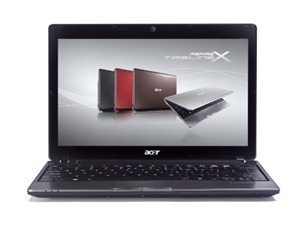
The Acer Aspire TimelineX AS1830T-6651 is loved for its size, its weight, and the performance that is uncompromised despite of its outer appearance. Be surprised however, as this is one of those things that are small but terrible when it comes to audio and sounds, thanks to a full armada of Dolby Sound goodness at every inch. The fun lasts long due to a powerful battery that can last for more than 5 hours.

Display: 11.6-inch

Storage: 500GB 5400rpm SATA

Processor: Intel Core i5-470UM 1.33GHz Processor

Memory: 4GB

Graphics: Intel HD Graphics

Battery and Power: 6-cell Li-ion Battery (5800 mAh)

Wireless: 802.11b/g/n Wireless LAN

Audio: Optimized 2nd Generation Dolby Sound Room audio enhancement, featuring Dolby Headphone, Dolby Natural Bass, Dolby Sound Space Expander


5. HP Pavilion DV6-6140us

5Aside from doing documents, presentations, and spreadsheets in a laptop, it has also turned into an all-in-one media center for playing movies, music, and even in playing video games. The HP Pavilion DV6 is sure to please audiophiles and other music critics, thanks to the Beats Audio included in the system.

Display: 15.6-inch

Storage: 640GB 5400rpm SATA

Processor: AMD A-Series A8-3500M 1.5GHz Processor

Memory: 6GB DDR3

Graphics: Integrated AMD Radeon HD 6620G Discrete-Class Graphics

Battery and Power: 6-Cell 55WHr Lithium-Ion Battery, 65-watt AC adapter

Wireless: 802.11b/g/n Wireless LAN

Audio: Beats Audio, Integrated digital microphone, Internal Speakers


6. Acer AS7741G-6426

6

The Acer AS7741G-6426 is also following the trends of using large screens in displaying sharp and crisp images that have a lot of say when it comes to HD quality videos and pictures. Thanks to a Core i5, a 4GB RAM, and a Radeon HD 6550M 1GB DDR3 SDRAM, performance is as big as the body indicates.

Display: 17.3-inch Active Matrix TFT

Storage: 640 GB 5400rpm Serial ATA

Processor: Intel Core i5-480M 2.66 GHz Processor

Memory: 4 GB DDR3 SDRAM

Graphics: Radeon HD 6550M 1GB DDR3 SDRAM

Battery and Power: 6-cell Lithium Ion (Li-Ion), 4400 mAh

Wireless: Acer InviLink Nplify IEEE 802.11b/g/n


7. Lenovo G770-10372KU

7

Despite of being big, thanks to its 17.3-inch screen and a Core i5 to match, the Lenovo G770-10372KU is loved by heavy users due to its long lasting battery, which lasts for 4-5 hours at maximum performance on graphics, sounds, and multifunction tasks. One of the promising features in this laptop is that you can switch graphic performance based on the programs you use, without the need of manually routing info via settings.

Display: 17.3-inch

Storage: 750GB 5400rpm SATA

Processor: Intel Core i5-2410M 2.30GHz Processor

Memory: 6GB DDR3 1333MHz

Graphics: AMD Radeon HD 6650M 1GB DDR3 VRAM

Battery and Power: 6-cell Lithium Ion (48 WHr)

Wireless: 802.11b/g/n Wireless LAN

Audio: Integrated Sound card, Internal 2 x 1.5W speakers


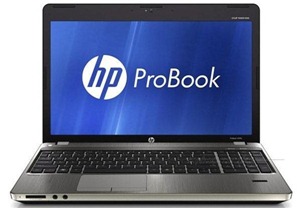
8. HP ProBook 4530s-XU015UT

8

If you are looking for a toy that looks expensive, then the HP ProBook 4530s-XU015UT will not disappoint you. The physical is well built and made, while considering the insides still at par with the fastest laptops in town. Keyboards are user-friendly as it does not make the fingers slip and speakers are phenomenal, thanks to the SRS features included. This is the device that can make a statement for looking hot while spending less.

Display: 15.6-inch HD

Storage: 320GB 7200rpm SATA

Processor: Intel Core i3-2310M 2.1GHz Processor

Memory: 4GB DDR3 1333MHz

Graphics: Intel HD Graphics 3000

Battery and Power: 6-cell (47 WHr) Li-Ion, 65-watt AC adapter

Wireless: Atheros 802.11b/g/n WiFi

Audio: SRS Premium Sound Integrated microphone


9. Samsung Series 3 NP350U2B-A01

9

Customers love seeing something so light, yet so packed up with things of the good stuff, specifically a lightweight Series 3 with a Core i5 processor, an Intel GMA HD graphics card, and a 500GB internal storage to match. The 4GB DDR3 RAM in this device makes a small laptop fly high at speeds that make the user really happy.

Display: 12.5-inch

Storage: 500GB

Processor: Intel® Core™ i5 2410M Processor

Memory: 4GB DDR3

Graphics: Intel GMA HD

Battery and Power: 6Cell, 60W

Wireless: 802.11 a/b/g/n

Audio: 3 W Stereo Speaker (1.5 W x 2)


10. Toshiba Qosmio X775-Q7272

10

Power is the name of the game with this particular model of the Toshiba Qosmio. The Core i7 Processor is actually put into good use, thanks to a huge 17.3-inch screen, and a 1TB hard disk space. The processor does not do all the speed work as a mighty fast NVIDIA GeForce GTX 560M and a 6GB DDR3 multiplies the speed manifold. Oh, was it mentioned that this baby includes a nice set of Harman/Kardon speakers?

Display: 17.3-inch Widescreen

Storage: 1.0 TB (500GB 7200rpm Serial ATA x2)

Processor: Intel Core i7-2630QM processor

Memory: 6GB DDR3 1333MHz

Graphics: NVIDIA GeForce GTX 560M w/NVIDIA Optimus Technology

Battery and Power: Li-Ion (47Wh, 8-Cell), 180W (19V x 9.5A) Auto-sensing,100-240V AC Adapter

Wireless: Wi-Fi® Wireless networking (802.11b/g/n)

Audio: Stereo Headphone Jack, Built-in microphone, Microphone input port with Sleep and Music, harman/kardon® stereo speakers


Feb 27, 2012

Sony Tablet Price Rs.29,990|Laptop

Sony Tablet Price Rs.29,990|Laptop


Sony Tablet S is first android table from sony with 9.4” inch Touchscreen display, powered by Nvidia Tegra Processor (Dual Core) and Google Android v3.1 OS @ premium price.

sony
Sony Android Tablet S Features:

  • Can easily stream video from the tablet to a DLNA-enabled TV
  • Playstation 3 Connectivity + Gaming Support
  • Premium Build Quality with ergonomically contoured design
  • 5MP and 3MP front and Rear Camera
  • Integrated IR blaster which can works as all-in-one remote control

Sony Tablet Technical Specifications:

  • 3G/Wi-Fi Connectivity
  • 9.4” inch (1280 x 768) pixels multi-touch display
  • 16GB/32GB Internal memory
  • 5 Megapixel Rear Camera with HD Video
  • 3 Megapixel Front Camera
  • Optional accessories like wireless keyboard, Docks
  • GPS, Bluetooth and DLNA certified
  • Access to Sony Exclusive content: Music/Video unlimited, e-book Reader store
  • Swift & Smooth UI Experience
  • The MRP for this

Accessories Available

  • Bluetooth keyboard
  • Cradle
  • USB adaptor
  • Carry case
  • LCD screen protector

Sony Tablet Price: Rs.29,990


sony-0

Sony Tablet Price: Rs.29,990

Feb 20, 2012

Review HP ENVY 14 Notebook Price| HP ENVY 14 Features and Specification

Review HP ENVY 14 Notebook Price| HP ENVY 14 Features and Specification

hp


nv


HP ENVY 14 Notebook Price | HP ENVY 14 Features and Specification

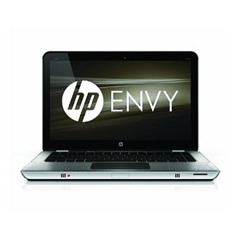
HP ENVY 14 Laptop comes with installed Windows 7 operating system and powered by latest Intel Core i7/i5 processors and ATI Radeon graphics. The HP ENVY 14 sports 14 inch display, up to 2 terabytes storage, up to 8GB RAM.HP ENVY 14 Notebook has integrated HP True Vision HD webcam and powered by 6-9 cell standard battery for long battery life of up to 6 hours. HP ENVY 14 is world’s thinnest and lightest quad-core notebooks

Brand: HP
Model: ENVY 14
Operating System: Windows 7 OS
Processor: Intel Core i7/i5 processors
Graphics: ATI Radeon graphics
RAM: 8GB
Display: 14.5 inches HD Radiance display
Hard Disk: 2TB GB hard drive
Webcam:HP True Vision HD webcam
Battery: 6-9 cell battery
Battery Backup: up to 6 hours

HP ENVY 14 Laptop Price in India :

Price of HP ENVY 14 in India is Approx: Rs. 59,000/-.

Jun 27, 2011

Top 10 Best all-purpose laptops|Hardware

Top 10 Best all-purpose laptops|Hardware

These general-purpose laptops are built to go and can do it all, making a great choice for most notebook users

5

It's amazing what you can get for $1,500 these days, or even less than $1,000. These laptops are built for comfort, both at work and play, with fast CPUs and graphics processors, good battery life, and enough room to type comfortably and watch a video without squinting. Audio, video, and screen quality are not always created equal, and some of the units put utility ahead of multimedia. But you'll find most of these units to be affordable, portable, usable, and up to the task.

Apple 15-inch MacBook Pro/2.8GHz

ASUS UL80Vt-A1

Dell Inspiron 14z

Dell Studio XPS 16

HP EliteBook 8440w

HP Envy 13

Lenovo ThinkPad SL510 (2847-22U)

Lenovo ThinkPad T400s

Toshiba Satellite U505-S2940

Toshiba Satellite U505-S2980

Jun 4, 2011

Six Laptop Brands under Rs.45,000 that you could buy for college | Review

For those with ‘good news’ at the end of the college admissions season starts an entirely new and bigger phase of money-bleeding — for paying tuition fees, living expenses and buying that inseparable appendage of modern education: the Laptop.

1

Believe it or not, the laptop will be both the source of stress as well as its antidote in college. When you are not using the laptop for rigorous class assignments and presentations, it will be your all-in-one tool for watching movies, playing games, haunting social networking sites and staying in touch with your near and dear ones.

We looked up some of the best college-friendly laptops out there in the market and are briefly reviewing them for you. But before we begin, some de-jargonizing of typical computer terminology is in order.

The Processor

It being the brain of the computer, we suggest you opt for the most powerful multiple core processors for the best computing performance. 'The more the merrier' couldn't have been more applicable than while selecting processors. Look out for the generation of the processor as your laptop's efficiency depends on it. You can find out the generation of the processor by simply looking at its code. A code that read like 2xxx, means that the processor belongs to Intel's latest 'second-generation' of processors. These line of processors offer better graphics and video processing capabilities while consuming lesser power over its first generation counterparts. Your laptop will thus work for longer hours.

Here is how to interpret a processor's nomenclature. Suppose a processor is named 'Intel Core i3-380M Processor (2.53GHz, 4 Threads, 3M cache)'. Then,

i3-380m is the processor code. This is an Intel first-generation core processor (a second generation processor will have codes along the lines of 2xxx, for example '2130').

2.53 GHz is the clock Speed; higher this number, better the performance.

4 Threads indicates the multitasking capabilities of your processor. The more the number of threads, better the processor.

3M Cache - the L3 (Level 3) Cache Memory of the CPU.

Random Access Memory (RAM)

The higher the RAM, the lesser a computer's tendency to hang while you multitask between multiple software applications. For a new laptop, a DDR3 RAM of 3GB is sufficient for running Windows 7 and other ancillary applications that you will use extensively in your b-school curriculum. We are talking about applications such as Microsoft Excel, SPSS or Minitab. Make sure that the RAM in you laptop is upgradeable, as you never know when you might want to pimp the machine up.

2

Graphics Processing Unit (GPU)

A GPU in a laptop is quite like the power-windows feature in a car: it is good if you have one, but it is not necessary. Most modern processors powering today's laptops have an in-built GPU which allows them to produce decent graphics. But if you would like to use your laptop for high-end gaming or watching high-definition movies, you should consider adding an external GPU. You will have to shell out more, but it will significantly enhance your gaming and multimedia experience. Oh and yes, GPUs tend to be battery drainers and cause laptops to heat up. So do look up reviews of the particular GPU model on the Internet before buying the laptop.

But if you're going to largely keep your laptop usage limited to b-school-related software and watching standard quality movies, you can give an external GPU a miss.

Make sure your laptop has a VGA-out port. You will need it to connect to projectors for showing those dazzling Picasso-shaming Powerpoint presentations that you will subject your professors to.

After-sales Service

To limit the damage caused by malfunctions for a longer period of time, opt for the 'extended manufacturer warranty' at an additional cost. Ask your seniors how good their service experience has been with various brands in the city your b-school is situated in.

Onwards ho to the laptops. We are suggesting a few laptops priced below Rs 45,000 for,

1. Running academics-related software

2. Watching movies in hi-definition and

3. Playing the occasional game (like Need For Speed (NFS), Grand Theft Auto (GTA), CounterStrike, Warcraft III, etc)

Best Laptops under Rs 45,000 for Indian college students

3

#5 Acer AS4820TG - 5463G50Mnks

Specifications:

Processor: Intel i5-460M - 2.53 Ghz 3M Cache

RAM: 3 GB DDR3 (Upgradable to 8 GB)

Hard disk: 500 GB SATA 5400 Rpm

Screen Size: 14' Active Matrix TFT Colour LCD Resoultion: 1366 x 768

GPU: ATI Mobility Radeon HD 5650 1 GB

OS: Genuine 64-bit Windows 7 Home Premium

Weight: 2.20 kg

Price: Rs 42,500-ish

The goods: Fast processor, ample HDD space, very good GPU, Windows 7 home premium (better multimedia capabilities), Thin and light form factor.

The bads: Better deals available at lower prices, glossy screen makes it difficult to see in the sun.

Why is it here?

This is is a good laptop which can easily transform from a business laptop to a gaming one. However it is a little too pricey for its configuration as you will find out.

Inspiron 14 Notebook

#4 Dell Inspiron 14R New Laptop

Specifications

Processor: Intel Core I3-380m (2.53 GHz, 4 Threads, 3M)

RAM: 4GB DDR3

Hard disk: 500 GB SATA 5400 Rpm

Screen Size: 14? (35.6cm) HD WLED Glossy Display with TrueLife™ (1366×768)

GPU: Intel HD Graphics

OS: Genuine Windows 7 Home Basic SP1 64bit (English)

Weight: 2.25 kg.

Price: Rs 34,400-ish.

Pros: RAM, and HDD, lower price, easily portable (14'' screen). Accidental Damage cover by Dell in the warranty period, which can be extended to second year at an extra cost of Rs 3235. Recommended if there is almost no need for gaming and/or viewing HD content.

Cons: No GPU, basic 1st generation i3 processor.

Why is it here?

This is a laptop that is purely for people who are looking for something that matches the rigours of a curriculum; nothing more, nothing less. This laptop can easily take the load of the applications needed in the MBA course, but might tire out if used for gaming or extensive multimedia. Recommended if you absolutely do not need a laptop for gaming or viewing HD content.

5

#3 Hewlett-Packard HP G6-1017TU

Specifications

Processor: Intel Core i5-2410M (2.30GHz, 4 threads, turbo boost up to 2.93 Ghz, 3M cache)

RAM: 4 GB DDR3 (Upgradable to 8 GB)

HDD: 320GB SATA 5400 Rpm

Screen Size: 15.6? (39.6cm) HD LED HP BrightView Display (1366×768)

GPU: Intel HD Graphics 3000 (Internal)

OS: Genuine Windows 7 Home Basic SP1 64bit (English)

Weight: 2.4 kg

Price: Rs 40,500

Pros: 2nd Gen i5 processor (fast, really), decent RAM.

Cons: No separate GPU.

Why is it here?

A very well-rounded package for business needs, with a fast processor and ample RAM. Well suited for delivering rich multimedia experience coupled with superb performance in routine tasks. The lack of a separate GPU means that avid gamers might want to look for some other options, but it can handle casual games quite well with Intel HD Graphics 3000 integrated GPU.

#3 Lenovo IdeaPad Z570 59-067847

Specifications

Processor: Intel Core i5-2410M (2.30GHz, 4 threads, turbo boost up to 2.93Ghz, 3M cache)

RAM: 4 GB DDR3 (Upgradable to 8 GB)

HDD: 640GB SATA 5400 Rpm

Screen Size: 15.6 HD LED Glare (1366×768)

GPU: Integrated Intel HD Graphics 3000

OS: Win7 Home Premium( 64 Bits)

Weight: 2.5 kg

Price: Rs 40,990+tax

Pros: Good processor, RAM and HDD config, Windows 7 Home Premium

Cons: Price, absence of a separate GPU will cause problems for gamers.

Why is it here?

This model has slight edge over the Hewlett Packard HP G6-1017TU as it offers an additional 320GB HDD space and Windows 7 Home premium, which offer better multimedia capabilities over Windows 7 Home Basic. But because of its price the Lenovo ties with HP for #3.

7

#2 Lenovo IdeaPad Z570 59-069600

Specifications

Processor: Intel Core i3-2310M (2.10 GHz 3M cache)

RAM: 4GB DDR3 (Upgradable to 8 GB)

HDD: 640GB SATA 5400 Rpm

Screen Size: 14? (35.6cm) Widescreen HD WLED Glossy Display with TrueLife™ (1366×768)

GPU: Nvidia GeForce GT 520M - 1GB

OS: Genuine Windows 7 Home Basic SP1 64-bit (English)

Weight: 2.6 kg

Price: Rs 38,990+tax

Pros: 2nd Gen i3 processor, ample RAM and HDD space, and a separate GPU too!

Cons: The processor could have been faster, like a first generation i-5.

Why is it here?

A gaming laptop, akin to the #1, albeit with slightly downscaled performance parameters. However, the price is lower as well.

The only difference between this and the #1 laptop is the processor. The i3 second generation here, we feel is slightly underpowered. Both of them are at par as far as graphics is concerned with Lenovo's Nvidia 520M only slightly losing out. However with Nvidia's optimizer solution Optimus, the GPU power consumption is regulated for giving an optimum battery life. All in all a very good buy. Let us say Lenovo lost in a photo finish.

8

#1 Dell Inspiron 14R

Specifications

Processor: Intel Core i5-480M (2.66GHz, 4Threads, turbo boost up to 2.93Ghz, 3M cache)

RAM: 4 GB DDR3 (Upgradable to 8 GB)

HDD: 320GB SATA 5400 Rpm

Screen Size: 14? (35.6cm) Widescreen HD WLED Glossy Display with TrueLife™ (1366×768)

GPU: ATI Mobility Radeon™ HD 5650 - 1GB

OS: Genuine Windows 7 Home Basic SP1 64bit (English)

Weight: 2.25 kg

Price: Rs 40,626 for this configuration, Rs 35,400 without Graphics card and 3 GB RAM.

Pros: Everything. Accidental Damage cover by Dell in the warranty period, which can be extended to second year at an extra cost of Rs 3235..

Cons: HDD space could've been larger.

Why is it here?

An i5 processor with 4GB RAM, coupled with a high-mid range separate GPU we guess that the configuration speaks volumes. And as stated earlier, Dell is known to have a superb after-sales service. It edges out the Lenovo Ideapad Z570 mainly because of its processor and its graphics handling capabilities are far better than the others in this range. The best laptop at this price, for b-school requirements, high definition movie watching and occasional gaming.

PS: For people willing to put a graphics card in their laptops and run the machine for more than 12 hours a day, you might want to invest in a laptop cooling stand. And if you want to use/play unplugged, a 9-cell battery would take care of the extra power consumption.

PPS: Apple makes excellent laptops. It's just that they never bother to come down to this price range.

Advisory

We have observed some people considering the Apple iPad or other tablet devices as a substitute for a full-fledged laptop. If you ask us, tablets such as the iPad or the Blackberry Playbook have not been designed and are not intended to replace a laptop. So please don't think of the iPad as a substitute to a laptop. Tablets for now are niche media consumption devices not geared up for complex spreadsheet or presentation-creating activities.


LinkWithin

Related Posts Plugin for WordPress, Blogger...